The camera in smartphones has become good enough to use it for video making, vlogging, creating clips, streaming, and just shooting. Yet, no matter how high-quality cameras are included in modern smartphones, even the best camera in the phone cannot get rid of shaking when walking, rotating, and shooting with one hand. Here comes the best smartphone gimbal; it will solve the problem since the gimbal will guarantee the stability of the phone during its movement.
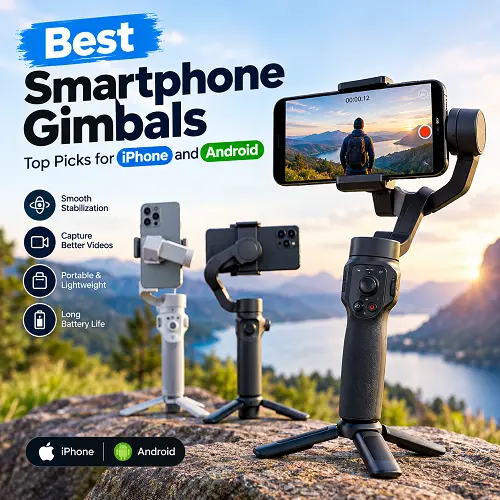
Gimbal is used for stabilizing shots made by hand, making it smooth and professional without the necessity to purchase a certain camera. The gimbal will be useful for iPhone users and Android users who shoot videos for TikTok, Instagram Reels, YouTube Shorts, travel shots, family shots, or personal vlog. Face tracking, gestures control, integrated tripods, extension rods, and dedicated shooting applications can also be found in some models. There is more to choosing the right model than just stabilization. Compatibility with phones, weight restrictions, tracking features, battery life, portability, apps support, and your content may also matter in the process.
What Is a Smartphone Gimbal?
A Smartphone gimbal is a hand-held apparatus meant to carry a smartphone while preventing uncontrolled motion during filming. This device makes use of motors and sensors that detect motion to stabilize the smartphone instead of using just your hand to steady the phone.
A Smartphone gimbal stabilizer is more useful when filming while walking. It can also be useful if you are filming someone as you follow him/her and if you are moving around an object being filmed or changing angles during filming.
Most of the modern day phone gimbals use three axes of stability:
- Pan Axis: For controlling sideways rotation
- Tilt Axis: For controlling vertical motion
- Roll Axis: For keeping the phone stable sideways.
Common uses include:
- Vlogging and YouTube videos
- TikTok and Instagram Reels
- Travel and outdoor recording
- Selfie videos
- Live streaming
- Walking shots
- Product demonstrations
- Family and event videos
- Solo content creation
A gimbal does not improve the phone’s camera sensor itself. Its main job is to make the physical movement of the phone more controlled while you record.
For creators who use their phones for several types of content, a stable setup can also make it easier to switch between video recording and other accessories. For example, someone researching Best MagSafe Accessories for iPhone may also use a gimbal alongside other smartphone accessories depending on the type of content being created.
How Do Smartphone Gimbals Work?
A smartphone gimbal is composed of motors and sensors, including gyroscopes to sense movements. Any time a user moves his/her hand, there will be a change in position which will be sensed by the sensors and compensated by the motors.
For instance, think about a case where a person walks in front while holding the phone. As such, the hands move up and down as well as sideways. With no form of stabilization, such motions become shaking in the video.
There is always adjustment of the phone to avoid unnecessary movements. This is done using the three motors along the pan, tilt, and roll axes. As such, the smartphone will be more stable even as the handle moves.
The process may be broken down into four stages:
- The sensors detect movement.
- The gimbal determines how the phone is moving.
- The motors make small adjustments.
- The phone stays closer to the desired position.
That’s how a three-axis gimbal can create smoother footage compared to just holding the phone in your hands.
How Does a Smartphone Gimbal Stabilizer Work?
The smartphone gimbal stabilizer employs movement through mechanical engineering methods, and not just through digital software correction available within the phone. The phone is placed into a motorized mount, which keeps making corrections through its motion.
The importance of three-axis stabilization becomes evident in the fact that there may be various movements happening simultaneously. You can move forward, rotate your body, and tilt your hand.The gimbal attempts to compensate for these changes independently.
For walking shots, the goal is not necessarily to make the camera completely motionless. Instead, the gimbal reduces sudden unwanted movements so the footage looks more controlled.
This can be useful for:
- Walking tours
- Follow shots
- Smooth panning
- Moving around a product
- Travel footage
- Self-recorded videos
- Dynamic social media clips
Also, a gimbal allows the user greater freedom over the movement of the camera. Depending on the model and filming mode, some movements can be allowed while others can be restricted. This is how different styles of shots can be created other than just fixing the phone in place.
For users building a complete mobile content setup, the gimbal can be considered alongside other accessories available through a Pro Tech Base online store. Different smartphone accessories can serve different purposes, while a gimbal specifically focuses on controlling movement during video recording.
Are Smartphone Gimbals Compatible With iPhone and Android?
Yes, most smartphone gimbals are compatible with both iPhone and Android smartphones. But compatibility should always be checked prior to the purchase since a gimbal might have certain requirements related to phone dimensions, weight, OS and application, etc.
For example, the DJI Osmo Mobile 7 range is made for smartphones with dimensions 67–84 mm x 6.9–10 mm and weight 170–300 g. DJI also offers information on phone compatibility with the Mimo app.
Insta360 Flow 2 Pro works with smartphones that fall within a certain dimension and weight range but also requires different software depending on whether you use iOS or Android.
Points to check before purchase:
- Phone width
- Phone thickness
- Phone weight
- Phone case thickness
- iOS or Android version
- Required companion app
- Bluetooth requirements
- Whether your preferred camera app supports the gimbal’s smart features
Native camera compatibility is also important. Some advanced gimbals can provide tracking or controls through a dedicated module or supported camera applications, while other features may require the manufacturer’s app.
What Is the Best Smartphone Gimbal for Different Needs?
The best smartphone gimbal for your smartphone will depend on the video you intend to shoot. An amateur videographer will prefer something less complicated, while an expert video maker will have different preferences like motorized stabilizers, tracking features, remote control, lighting, and more.
Below are things to consider based on different users.
- Beginner: Consider ease of control, stabilization, and set up.
- Budget buyer: Consider basic three-axis stabilization over other features.
- Tracking: Face, person, or object tracking features.
- Traveler: A folding and light gimbal is more convenient.
- Vlogger: Consider a tripod, extension arm, tracking, and self-posing options.
- Expert: Think of payload weight limit, tracking features, accessories, controls in the app, and construction.
There is no one feature that is most important for all. Your smartphone and shooting style will define priority.
How to Choose the Best Gimbal for Smartphone
The process of choosing a gimbal will become easier if you follow a simple checklist.
1. Check Your Smartphone
Find your phone’s weight, width, and thickness. Include the case if you plan to keep it on while recording.
2. Verify Compatibility
Check whether the manufacturer officially supports your phone and operating system. This is particularly important if you want advanced tracking or app-based controls.
3. Decide How Much Stabilization You Need
For regular walking and travel videos, a three-axis model is generally the practical starting point.
4. Consider Tracking
If you record yourself often, face or subject tracking can save time and make solo filming easier.
5. Check Battery and Charging
Look beyond the headline battery number. Find out how the runtime changes when tracking, lighting, or phone charging is enabled.
6. Compare Portability
Think about how you will be carrying the gimbal.
A bigger version may offer more functionalities; however, the smaller and folding version may end up being used more often since it is easier to carry around.
7. Establish a Budget
Figure out what you need and then decide whether or not you should spend more money on advanced tracking, higher payloads, better controls, or more accessories.
Otherwise, there are simpler versions that would just do the job of stabilizing videos from a smartphone.
Best Smartphone Gimbals for iPhone and Android
Find out about the best smartphone gimbals for iPhone and Android for shooting better videos and footage.
Best Smartphone Gimbal – DJI Osmo Mobile 7P
For creators looking for the best smartphone gimbal, the DJI Osmo Mobile 7P offers a balanced setup for stabilization, tracking, portability, and hands-free shooting. Its three-axis stabilization helps keep smartphone footage controlled while walking, panning, or changing direction.
The Osmo Mobile 7P is particularly useful for creators who want several shooting tools in one compact setup. DJI includes a built-in extension rod and tripod, while the Multifunctional Module adds additional intelligent tracking and control features.
Key features:
- Three-axis mechanical stabilization for smoother smartphone footage
- Built-in extension rod for wider selfie and vlog angles
- Built-in tripod for stationary recording
- ActiveTrack 8.0 for subject tracking
- Multifunctional Module for additional tracking and control features
- Osmo 7P operates for about 10 hours based on DJI’s stated operating parameters
- Accommodates smartphones of weight around 170 to 300 grams
What makes it special:
Osmo 7P is a device that incorporates various functions for creators in one gadget without needing the help of a tripod and a stick to set up.
Ideal for:
Video bloggers, social media creators, travelers, and those looking for a general smartphone filming device.
Take note:
Be sure to measure the size and weight of your phone before purchasing this device.
Best Smartphone Gimbal Stabilizer – ZHIYUN Smooth 5S AI
The ZHIYUN Smooth 5S AI is designed for users who want a best smartphone gimbal stabilizer with a stronger emphasis on manual control and creative shooting. Its three-axis motorized system provides physical stabilization while the larger design gives the user access to more controls.
This model is suited to creators who want to adjust the phone’s movement themselves rather than relying only on automatic shooting modes. Its AI tracking and fill light also make it useful for more controlled creator setups.
Key features:
- Three-axis stabilization for pan, tilt, and roll movement
- AI tracking for keeping the subject in frame
- Gesture control for hands-free operation
- Retractable extension rod for additional shooting angles
- Integrated fill light for improving subject illumination
- Supports phones in the approximately 150–300 g range
- Offers support for both horizontal and vertical shooting
What sets it apart:
Unlike other gimbals, the Smooth 5S AI places more emphasis on physical controls and shooter-specific features making it more applicable for individuals who are interested in shooting more manually.
Best for:
Video producers, bloggers, filmmakers, and people who like more manual approach.
Think about it:
It is more bulky and therefore is less portable compared to compact gimbals if portability is what you prioritize the most.
Best Budget Smartphone Gimbal – M02 Gimbal Stabilizer
This smartphone stabilizer is designed specifically for people looking for the best budget smartphone gimbal without compromising on the core three-axis mechanical stabilization. The compact folding design makes it convenient for recording, traveling and social media content creation.
One important feature is that it has an AI face tracking feature which helps one when he/she is shooting alone since it ensures that his/her face stays at the center of the shot.
Key features:
- Three-axis mechanical stabilization
- 360-degree AI face tracking
- Foldable design for easier storage and transportation
- Up to 8 hours of working time according to the product listing
- iOS and Android smartphone compatibility
- Compact 157 × 106 × 65 mm dimensions
- ABS construction for a lightweight portable design
Why it stands out:
This gimbal focuses more on what casual smartphone makers would find necessary, including stabilization, face-tracking, and portability.
Best For:
Novices, cost-conscious individuals, casual video bloggers, travelers, and social media creators.
Also Consider:
This particular gimbal is ideal for basic smartphone filming rather than complicated systems that need much manual operation.
Best Gimbal for Smartphone – DJI Osmo Mobile 7
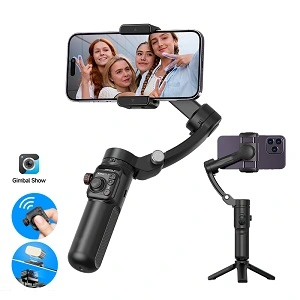
When it comes to recording with a smartphone daily, then the DJI Osmo Mobile 7 is one practical option to consider for the best gimbal for smartphone. The ability to use it as a hand-held recorder and as a mounted one without needing many additional accessories thanks to the built-in foldable and tripod capabilities makes this a great choice.
The DJI Osmo Mobile 7 also offers ActiveTrack 8.0 within DJI’s ecosystem, enabling video makers to keep the supported subject in view.
Key features:
- Three-axis stabilization for everyday smartphone video
- Designed to be folded, facilitating easier transportation
- Fit with tripod for hands-free shooting
- Supports ActiveTrack 8.0
- Has about 10 hours of working time under DJI conditions
- Weighs about 300 g when combined (the gimbal itself, the tripod, and the magnetic phone clamp)
- The optional Multifunctional Module provides extra intelligent features
Why it is unique:
Foldability and tripod in one make it more suitable for those who regularly change from handheld shooting to fixed.
Perfect for:
Everyday creators, travelers, beginners, and people making videos with their families.
Consider:
Some of its more advanced tracking and intelligent functions require the optional Multifunctional Module or compatible software.
For people who use their smartphone for several everyday tasks, a dedicated accessory setup can also be useful beyond video stabilization. Depending on the phone ecosystem, accessories such as those covered in Best Bluetooth Trackers for iPhone and Android can help with keeping track of personal items while the gimbal handles mobile video recording.
Best Smartphone Gimbal for Tracking – Hohem iSteady M7
The Hohem iSteady M7 is designed for creators who need the best smartphone gimbal for tracking, particularly when filming themselves without another person behind the camera. Its AI tracker can help follow a subject while the detachable touchscreen remote allows the creator to control the setup from a distance.
The higher payload capacity also makes this model suitable for larger smartphones and some additional accessories. Hohem lists support for phones between 58 and 90 mm wide and a maximum payload of up to 500 g.
Key features:
- AI tracking for people and other supported subjects
- Maximum payload of up to 500 g
- Detachable touchscreen remote
- Support for larger smartphones and accessory-equipped setups
- Smartphone width support of approximately 58–90 mm
- Multiple operating-time figures depending on tracking and lighting use
- Approximately 629 g gimbal weight
What makes it unique:
Combining AI tracking, remote and payload capabilities makes this model quite important for solo creators needing to stay mobile but still have control of the camera.
Suitable for:
Solo filmmakers, live streamers, large phone owners, and users of phone accessories.
Think about:
Its weight of 629 g makes it quite heavy compared to travel gimbals, so it won’t be as convenient.
Best Compact Smartphone Gimbal – Hohem iSteady V3 Ultra
When you are looking for the best compact smartphone gimbal, the Hohem iSteady V3 Ultra offers you a portable build combined with functions which are usually provided by bigger creator-oriented models. It includes an integrated extension pole, tripod, detachable touchscreen remote, and AI tracker.
The design is particularly useful for solo travel content because the creator can position the gimbal, extend the pole, and use tracking while moving around the scene.
Key features:
- Foldable three-axis smartphone gimbal
- Integrated extension pole for wider framing
- Built-in tripod for hands-free recording
- Detachable touchscreen remote
- AI tracking for people, animals, vehicles, and other supported subjects
- Supports phones approximately 58–98 mm wide
- Payload capacity of up to 400 g
- Folded dimensions of about 98 × 44 × 160.5 mm
- Weight of about 428 g
What makes it unique:
It offers a fairly complete solution for solo filming that can be folded into a portable format.
Perfect for:
Travel vloggers, solo content creators, outdoor content creators, and anyone interested in tracking without using multiple accessories separately.
Take note:
Even with all the portability, the weight of about 428 g can become noticeable during longer travels.
Best Premium Smartphone Gimbal – Insta360 Flow 2 Pro
Insta360 Flow 2 Pro smartphone gimbal is marketed as an ideal choice for those seeking a best premium smartphone gimbal not just with good tracking but with an extended range of intelligent features for shooting. While most gimbals are simply stabilizers, Insta360 Flow 2 Pro is a combination of a three-axis gimbal, selfie stick, tripod, and artificial intelligence-based tracking.
Its Deep Track 4.0 system can help follow subjects, while Apple DockKit integration provides additional functionality for compatible iPhone setups. The model also supports Active Zoom Tracking and multi-person tracking in supported scenarios.
Key features:
- Three-axis mechanical stabilization
- Deep Track 4.0 AI tracking
- Built-in selfie stick
- Built-in tripod
- Active Zoom Tracking
- Multi-person tracking for supported shooting situations
- Apple DockKit integration for compatible iPhone use
- About 357g gimbal weight
- Folded size of about 97.9 x 178.4 x 36.7 mm
Why is it special:
With its smart tracking abilities and in-built hardware, it is a good option for those looking for something beyond the basics in terms of a smartphone filming system.
Perfect for:
Advanced vloggers, solo creators, iPhone users intrigued by DockKit functionalities and mobile filmmakers.
Note:
Smart features may differ depending on the smartphone type, OS and software compatibilities.
For shoppers building a broader smartphone and technology setup, accessories and other useful products can also be explored through a best online tech store for shoppers, depending on the equipment and accessories they need.
What to Look for in the Best Smartphone Gimbal
Smartphone Compatibility
Start with your phone rather than the gimbal.
Check the manufacturer’s specifications for:
- Maximum and minimum phone width
- Maximum phone weight
- Phone thickness
- Supported operating systems
- Compatibility with your phone case
- Compatibility with external lenses or accessories
A phone may physically fit into the clamp but still create balance problems if it is too heavy or if the case adds too much thickness.
3-Axis Stabilization
Three-axis stabilization is the core feature of a modern phone gimbal.
Pan controls horizontal rotation and is useful for following subjects or creating smooth side-to-side movements.
Tilt controls vertical movement. It helps when you point the camera upward or downward.
Roll keeps the phone more level and reduces unwanted sideways rotation.
For most users, a three-axis design is preferable to simpler stabilizers because it can compensate for multiple types of movement.
AI Tracking and Smart Features
Tracking can be valuable when you record yourself without another person operating the camera.
Useful features may include:
- Face tracking
- Person tracking
- Object tracking
- Gesture controls
- Automatic framing
- Creative shooting modes
- Subject-following functions
- Remote controls
However, tracking should not be the only buying factor. If your phone does not support a particular app or feature, some advertised functions may not work exactly as expected.
Battery Life and Charging
Battery life becomes important during travel days, outdoor recording, and live streams.
Look for:
- Stated operating time
- USB-C charging
- Charging time
- Phone charging support
- Battery performance when tracking is enabled
Remember that advertised runtime can change when you use AI tracking, fill lights, phone charging, or other accessories.
Portability and Design
A compact gimbal is easier to carry, but smaller does not always mean better for every user.
Consider whether you need:
- Foldable construction
- Built-in tripod
- Extension rod
- Lightweight body
- Magnetic phone mount
- Carrying case
- Remote control
If you mainly shoot while traveling, folded size can matter almost as much as stabilization.
Are Smartphone Gimbals Worth It?
A phone gimbal can be worthwhile if you regularly record moving video and want smoother physical camera movement.
The biggest benefit is control. Instead of trying to keep your hands perfectly steady, the gimbal’s motors handle much of the unwanted movement.
They can be especially useful for:
- Travel videos
- Walking footage
- Vlogging
- Social media content
- Product videos
- Solo filming
- Live streaming
- Outdoor recording
However, a gimbal is not necessary for every smartphone user. Modern phones already offer electronic or optical stabilization, depending on the model. If you mainly record stationary clips, a tripod may be more useful than a gimbal.
There are also limitations. A gimbal adds weight, needs charging, and requires some setup. You also need to balance the phone correctly and make sure it fits the manufacturer’s specifications.
For frequent moving shots, these extra steps can be worthwhile. For occasional stationary recording, they may not be necessary.
Frequently Asked Questions
What Is the Best Smartphone Gimbal?
Choosing the right product depends on the model of your phone, your budget, and the way you shoot videos. First, look at three-axis stabilization. Then, you can consider tracking abilities, compatibility, battery life, portability, and app support.
What Is the Best Smartphone Gimbal Stabilizer?
Suitable stabilizer must guarantee smooth three-axis movement and be able to stabilize your phone’s weight and size. Also, experienced users may be interested in strong motors, additional control options, and compatibility with various accessories.
What Is the Best Budget Smartphone Gimbal?
Even budget gimbal should have basic stabilization capabilities. M02 Gimbal Stabilizer is a compact version that features three-axis stabilization, AI face tracking, folding design, and iOS/Android compatibility as per its product description.
What Is the Best Gimbal for Smartphone?
The best model will depend on how you are recording videos. Traveler may want to get a foldable model while vlogger may appreciate tracking ability, tripod mount, and extension rod.
Do Smartphone Gimbals Work With iPhone and Android?
Compatibility depends on specific model and platform. However, you should always pay attention to phone size, weight, operating system, and companion app.
How Do Smartphone Gimbals Work?
They utilize sensors and motors to sense and counteract undesired movements. Three-axis gimbals are able to stabilize pan, tilt, and roll movements so that your phone is kept steady while shooting.
Do Smartphone Gimbals Stabilize Videos?
Yes. They minimize the impact of undesired movements thanks to their mechanical motors while you shoot the video. However, they do not replace the electronic and optical stabilization of your smartphone.
Are Smartphone Gimbals Worth It?
If you need to shoot videos on the go, travel vlogs, or social media videos, gimbals will prove their worth for sure. Otherwise, using a simple tripod might be a better solution.
What Features to Look for When Purchasing a Smartphone Gimbal?
You should prioritize three-axis stabilization, compatibility with your phone, proper payload capacity, battery life, tracking, and app availability. An additional built-in tripod or an extension rod will be useful for vloggers and one-man teams.
Final Thoughts
The use of a best smartphone gimbal will enable you to convert your handheld phone to a more advanced video device. What really matters is the ability to select a particular model that works for you according to your shooting style, instead of the one with many features.
First of all, iPhone and Android users should ensure the compatibility of their smartphones. Afterward, it is necessary to consider such factors as stabilization, tracking, battery life, portability, as well as other features that you will use.
In case of casual shooting and travels, a smaller model will be more convenient. In case of vlogging and solo shooting, such features as tracking, a tripod, or an extension rod can be considered. Some users with big phones and numerous accessories will need a strong gimbal that has a high payload capacity. The right selection depends on your needs.
For users who want to explore more technology products after choosing a smartphone gimbal, the Pro Tech Base online store provides a broader selection of technology-related products and accessories.