The problem of lost keys, wallets, bags or luggage may become really irritating when the lost thing carries something of importance in it. A tiny Bluetooth tracker can solve this problem by linking your things to the phone via Bluetooth and allowing to locate it using some tracking application, making the best Bluetooth trackers for iPhone and Android a practical option for everyday belongings.
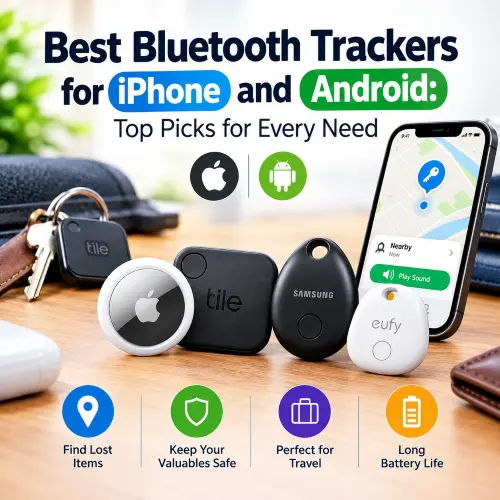
Selecting the appropriate tracker for iPhones and Android phones is more complicated than just checking the Bluetooth range of a device. There is a number of different things one should consider, such as compatibility with the phone, tracking network, battery type, mounting method, privacy and the type of object to be located.
What Are Bluetooth Trackers?
Bluetooth trackers are small electronic gadgets used by individuals to locate their missing items. Individuals are required to place the gadget in a missing item such as keys, luggage, schoolbags, wallet, or camera bag.
This device connects with the smartphone via Bluetooth technology. In case the missing item is close to the individual’s phone, the device will be able to locate the gadget through the production of a sound. However, in case it is far, then it will be located via finding networks through other compatible gadgets.
Common uses include:
- Finding misplaced house or car keys
- Locating a wallet or purse
- Keeping track of luggage during travel
- Finding backpacks and school bags
- Protecting camera and laptop bags
- Locating other frequently misplaced belongings
GPS and Bluetooth tracking systems are distinct. A regular Bluetooth tracker does not employ cellular connection to relay its location consistently. Rather, it uses Bluetooth or crowd-finding technology that supports it.
GPS tracking devices are preferred when consistent data on location is needed. Bluetooth trackers are relatively smaller and easier to use as compared to GPS.
How Do Bluetooth Trackers Function?
Bluetooth trackers are comprised of Bluetooth radio, battery, speaker, and electronic components. Some advanced Bluetooth trackers also have Ultra Wideband technology for nearby detection.
The setup process usually involves these steps:
- Attach the tracker to the item you want to protect.
- Open the compatible tracking app.
- Pair or add the tracker to your account.
- Give the item a recognizable name.
- Use the app whenever the item goes missing.
- Play a sound when the tracker is within direct Bluetooth range.
- Check its last known or network-reported location when it is farther away.
The exact experience depends on the tracker and its ecosystem. Apple-compatible trackers generally use Find My, while compatible Android trackers can use Google’s Find Hub. In addition, Samsung Galaxy owners can use the tracking system by Samsung with the help of compatible Galaxy devices.
This particular difference in the ecosystem is one of the most important factors to consider before purchasing a tracker.
How Bluetooth Trackers Locate Lost Items
Bluetooth Connection
The first way is the direct Bluetooth connection of your phone and the tracker.
Thus, in case your keys are hidden somewhere in your apartment, your phone might connect directly with the tracker, and you can activate it with the help of the tracking application to hear its sound.
Direct Bluetooth connection is very helpful when the lost item is still not far from you.
Distance depends on many aspects like the weakening of the signal by walls, floors, furniture, metal items, etc.
Smartphone Applications
The smartphone application works as the control unit of the tracker.
Depending on the model, the application can allow you:
- View the current or last known location
- Play a sound
- Mark an item as lost
- Receive separation alerts
- Use nearby-finding features
- Share an item with other people
- Add contact information for recovery
The available functions vary between trackers and platforms.
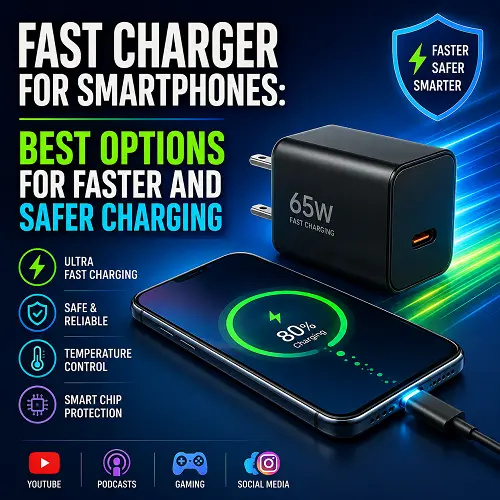
For people who regularly carry phones, chargers, and other electronic accessories, a Fast Charger for Smartphones can also be useful as part of an everyday technology setup, especially when tracking applications need to remain available throughout the day.
Location and Tracking Networks
A finding network can extend the usefulness of a Bluetooth tracker beyond the direct range of your own smartphone.
Imagine that you leave a tagged suitcase at an airport. Your phone may be far away, but another compatible device near the suitcase could detect the tracker. The relevant finding network can then report an approximate location to your account.
Apple Find My and Google Find Hub both support network-assisted finding for compatible devices.
This is why the supported finding network can sometimes be more important than the maximum advertised Bluetooth distance.
Do Bluetooth Trackers Work Long Distance?
However, while Bluetooth trackers may assist in locating objects at a distance, they will not usually have a direct Bluetooth connection with your phone from a few miles away.
There are two different types of range to understand.
Direct Bluetooth range: The distance at which your phone can communicate directly with the tracker.
Network-assisted range: The potential distance at which another compatible device can detect the tracker and report its approximate location.
The second method is particularly useful for luggage and other items that may be lost away from your phone.
However, network-assisted tracking is not guaranteed everywhere. It depends on compatible devices being available near the lost item.
Factors that can affect tracking include:
- Walls and floors
- Metal containers
- Buildings
- Wireless interference
- Smartphone compatibility
- The position of the tracker
- Availability of compatible devices nearby
Therefore, a Bluetooth tracker should not be treated as a replacement for a dedicated cellular GPS tracker.
What Is the Range of Bluetooth Trackers?
Range of the Bluetooth trackers differs from model to model. Manufacturers typically provide figures in optimal conditions, while actual range is not always that high.
Chipolo states a maximum range of 90 meters for the POP, whereas Pebblebee claims up to 500 feet range for the Clip 5. These figures represent direct Bluetooth connectivity rather than unlimited remote tracking.
Walls, furniture, floors, vehicles, and other obstacles can reduce practical range.
It is useful to consider range in three situations:
- Open space: Bluetooth can generally perform better with fewer obstacles.
- Inside a building: Walls and furniture can reduce the effective distance.
- Far-away locations: A compatible finding network can potentially locate the tracker through other devices.
For this reason, the highest advertised Bluetooth number should not automatically determine which tracker you buy.
Best Bluetooth Trackers for iPhone and Android
When comparing the best Bluetooth trackers for iPhone and Android, the first thing to check is your phone ecosystem. Apple, Google, and Samsung use different finding systems, while some third-party trackers can be configured for either Apple or Google.
The products below are different from one another so that each recommendation serves a specific use case.
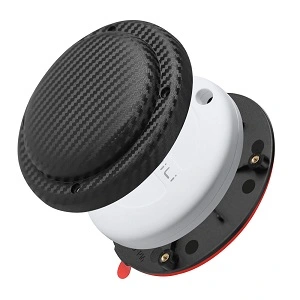
Best Bluetooth Tracker for iPhone and Android – MiLi MiTag Duo
The MiLi MiTag Duo – Dual-System Smart Tracker is particularly relevant for people looking for a tracker that supports both major smartphone ecosystems. It is designed to work with Apple Find My and Google Find Hub, making it suitable for compatible iPhone and Android users.
The MiLi MiTag Duo includes Bluetooth 5.2, an IP67-rated design, a replaceable CR2032 battery, and an estimated battery life of around 8–12 months. It also supports sound alerts and leave-behind notifications.
Key features:
- Apple Find My support
- Google Find Hub support
- Bluetooth 5.2
- Replaceable CR2032 battery
- Approximately 8–12 months of battery life
- IP67 protection
- Sound alerts
- Leave-behind alerts
- Compact design
- Suitable for keys, bags, luggage, backpacks, and any other items
Dual-system compatibility makes this particular choice worth consideration. An iPhone owner can enjoy the Apple system, while an Android owner will be able to use Google Find Hub.
Best for
People who prefer using a single tracker that will be compatible with iPhone and Android systems at once.
Important consideration
The exact setup and available features depend on the supported platform and phone. It should also be understood as an item tracker rather than a continuous cellular GPS tracker.
For shoppers comparing the best Bluetooth trackers for iPhone and Android, the MiLi MiTag Duo is especially relevant because cross-platform compatibility is one of its main purposes. This product is availabe on the best online tech store for shoppers.
Best Bluetooth Tracker for iPhone 17 Pro – Apple AirTag (2nd Generation)
Apple AirTag (2nd Generation) is made to work in the Apple Find My ecosystem and perfectly suits owners of compatible iPhones. Apple AirTag 2nd Generation received an upgraded Ultra Wideband chip and more accurate Precision Finding abilities. Also, according to Apple, its speaker became 50% louder compared to the previous generation.
Key features:
- Apple Find My integration
- Precision Finding on compatible devices
- Replaceable CR2032 battery
- Built-in speaker
- IP67 water and dust resistance
- Compact design
- Access to Apple’s finding network
AirTag works especially well with things like keys, backpacks, and suitcases that travel through areas with lots of Apple devices around.
Good for
iPhone 17 Pro users who prefer to use Apple’s native tracking system.
One big drawback: AirTag is built specifically for Apple products and is not a universal tracker for Android users.
So when choosing the best Bluetooth trackers for both iPhone and Android, AirTag is definitely ecosystem specific.
Best Bluetooth Tracker for iPhone 16 Pro Max – Chipolo CARD Spot
The Chipolo CARD Spot uses a slim card-shaped design that makes it especially suitable for wallets.
Chipolo lists a thickness of approximately 2.4 mm, a sound level of up to 105 dB, up to two years of battery life, and Apple Find My support.
Key features:
- Slim wallet-friendly design
- Approximately 2.4 mm thick
- Up to 105 dB sound
- Up to two years of battery life
- IPX5 water resistance
- Apple Find My support
- Lost-item notifications
Its card-shaped design is the main advantage. The traditional tracker can occupy more wallet space, whereas the slim tracker can be placed in a wallet slot conveniently.
Suitable for
iPhone 16 Pro Max owners who primarily intend to protect their wallets.
Significant drawback
It depends on Apple’s Find My system.
As one of the top Bluetooth trackers for both iPhones and Android phones, this tracker exemplifies the importance of making sure that the shape of a tracker is compatible with the object it is meant to protect.
Top Bluetooth Tracker for iPhone 15 – eufy SmartTrack Link
The eufy SmartTrack Link is a small tracker that is suitable for everyday objects such as keys, bags, and suitcases. It uses Apple’s Find My system and can also connect to its app, eufy’s app, for more features.
Key features:
- Compact 37 × 37 × 6.5 mm body
- 10 g weight
- Replaceable CR2032 battery
- Up to one year of battery life
- Up to 80 m stated Bluetooth range
- IPX4 water resistance
- Audible alarm
- Lost-item QR code
- Unwanted-tracking protection
The built-in attachment hole makes it convenient to connect the tracker directly to a keyring or bag.
Best for
iPhone 15 users who want a small everyday tracker for keys and bags.
Important limitation
Its main tracking experience is centered around Apple’s ecosystem rather than providing the same cross-platform approach as the MiLi MiTag Duo.
For users comparing the best Bluetooth trackers for iPhone and Android, the SmartTrack Link is more appropriate when the primary phone is an iPhone.
Best Bluetooth Tracker for iPhone 14 – Chipolo ONE Spot
The Chipolo ONE Spot is a compact round tracker designed specifically for Apple’s Find My network. Its built-in attachment hole makes it suitable for keys, bags, backpacks, and other items.
Key features:
- Apple Find My support
- Built-in attachment hole
- Replaceable battery
- Audible finding
- Compact round design
- Separation notifications through supported Apple features
- Suitable for keys and bags
Unlike a wallet-focused card tracker, the round design is better suited to items that already have a zipper, loop, or keyring.
Best for
iPhone 14 users who primarily want to track keys or bags.
Important limitation
It is designed for Apple’s ecosystem rather than being a universal Android tracker.
This difference matters when comparing the best Bluetooth trackers for iPhone and Android, because compatibility should be confirmed before buying.
Best Bluetooth Tracker for Samsung Phones – Samsung Galaxy SmartTag2
The Samsung Galaxy SmartTag2 is designed for Samsung Galaxy users and integrates with Samsung’s tracking ecosystem.
Samsung lists Bluetooth 5.3 connectivity, up to 120 meters of BLE distance under its specified conditions, a replaceable CR2032 battery, up to 500 days of battery life, UWB support on compatible Galaxy devices, and IP67 water and dust resistance.
Key features:
- Bluetooth 5.3
- Up to 120 m stated BLE distance
- Replaceable CR2032 battery
- Up to 500 days of battery life
- IP67 water and dust resistance
- UWB support on compatible Galaxy devices
- Built-in buzzer
- Attachment loop
The tracker is especially useful for Samsung users who want features that integrate with their Galaxy devices.
Best for
Samsung Galaxy smartphone and tablet users.
Important limitation
Advanced UWB features require compatible Galaxy hardware.
For Samsung owners comparing the best Bluetooth trackers for iPhone and Android, SmartTag2 is an ecosystem-focused option rather than a general-purpose iPhone tracker.
Best Bluetooth Tracker for Google Pixel Phones – Motorola Moto Tag
The Motorola moto tag is designed around Google’s finding ecosystem and uses Bluetooth Low Energy along with Ultra Wideband technology for nearby finding on compatible devices.
Motorola also supports Google Find Hub for network-assisted location finding.
Key features:
- Google Find Hub integration
- Bluetooth Low Energy
- Ultra Wideband support
- Nearby finding
- Sound alerts
- Last-seen location
- Lost-item functions
- Google Maps integration for location directions
The main advantage for Pixel users is its close relationship with Google’s finding infrastructure.
Best for
Google Pixel users who want a Google-focused tracking experience.
Important limitation
Advanced UWB features depend on compatible phone hardware.
When comparing the best Bluetooth trackers for iPhone and Android, moto tag is a useful Android-focused option for people already using Google’s ecosystem.
Best Bluetooth Tracker for OnePlus Phones – Chipolo POP
The Chipolo POP is a flexible option for compatible OnePlus Android phones because it supports Google Find Hub. It can also be configured for Apple Find My, although the tracker uses one finding network at a time.
Key features:
- Up to 90 m / 300 ft stated Bluetooth range
- Replaceable CR2032 battery
- Around one year of battery life
- Loud ring
- IP55 water and dust protection
- Google Find Hub support
- Apple Find My support
- Built-in attachment design
Its replaceable battery is useful for people who prefer changing the battery instead of charging the tracker.
Best for
OnePlus users who want a flexible tracker that can also be configured for Apple’s ecosystem if their device situation changes.
Important limitation
Apple Find My and Google Find Hub cannot be used simultaneously on the same tracker.
For people comparing the best Bluetooth trackers for iPhone and Android, the POP stands out mainly because of its platform flexibility.
Best Bluetooth Tracker for Vivo Phones – UGREEN FineTrack Smart Finder
The UGREEN FineTrack Smart Finder is a compact Bluetooth tracker with Apple Find My support. UGREEN lists a 36 × 36 × 7 mm body, up to two years of battery life, a replaceable battery, and a loud alarm.
Key features:
- Bluetooth connectivity
- Apple Find My support
- Up to two years of battery life
- Replaceable battery
- Loud alarm
- Left-behind reminders
- Compact 36 × 36 × 7 mm body
The tracker caters to every-day use items and can be used for keys, handbags, suitcases, and other objects as well.
Best for
Those looking for an Apple Find My compatible tracker.
Important drawback for Vivo users
Vivo devices are based on the Android operating system, so you should be aware that an Apple Find My only tracker won’t give the same results like a Google Find Hub one.
This is a key factor while comparing the best Bluetooth trackers for iPhone and Android: there are products that work within one ecosystem but don’t work with another one.
What to Look for in the Best Bluetooth Tracker
Your choice of the tracker will rely on your phone, what needs protecting, and how you intend to locate it should it ever go missing.
Bluetooth Range and Accuracy
Bluetooth range is indicative of how far the tracker can communicate directly with your phone in favorable conditions.
It’s an advantage to have a longer Bluetooth range but since walls, furniture, cars, metals, and signal interference reduce Bluetooth signal strength, its effectiveness may vary.
Ultra Wideband technology may assist in achieving greater accuracy of locating in close proximity should the tracker and the phone have such capability.
Choosing the best Bluetooth trackers for iPhone and Android requires you to take into account both the Bluetooth range and the finding network capabilities.
iPhone and Android Compatibility
Compatibility should always be checked before purchase.
Ask:
- Does the tracker work with iPhone?
- Does it work with Android?
- Does it require Apple Find My?
- Does it support Google Find Hub?
- Does it require a Samsung Galaxy phone?
- Can it switch between ecosystems?
- Can it use multiple finding networks simultaneously?
Cross-platform support does not necessarily mean simultaneous support. Some trackers can be configured for either Apple or Google but cannot use both networks at once.
When choosing technology accessories for an everyday setup, shoppers may also look at options such as Best Portable Power Bank with AC Outlet when they need additional power while traveling with smartphones and tracking devices.
Battery Life and Charging
Battery design affects everyday convenience.
Replaceable batteries allow you to replace the cell when it runs out. Rechargeable models eliminate coin-cell replacement but require periodic charging.
For luggage and rarely used items, long battery life can be particularly useful. For daily keys or bags, either design can work depending on your preference.
Tracking Network Support
The tracking network becomes especially important when the item is outside your direct Bluetooth range.
Apple Find My, Google Find Hub, and Samsung’s tracking ecosystem use different systems. Make sure the tracker supports the network associated with your phone.
For travelers, this can matter more than the advertised Bluetooth range because the tracker may need to be detected by another compatible device after it leaves your immediate area.
Privacy and Unwanted Tracking Protection
Privacy features should be considered before purchasing any tracking device.
Modern ecosystems include protections designed to alert people when an unknown compatible tracker appears to be traveling with them.
Look for features such as:
- Unknown-tracker alerts
- Anti-stalking protections
- Lost-item contact information
- Secure location sharing
- Account protection
- Privacy-focused network design
A tracker should be used for belongings rather than secretly monitoring another person.
Water and Dust Resistance
A tracker attached to luggage, keys, or outdoor equipment can encounter rain, dust, or accidental splashes.
Check the IP rating instead of assuming every tracker offers the same protection.
For example, Samsung Galaxy SmartTag2 has an IP67 rating, while different models from Chipolo, Pebblebee, and other manufacturers use different protection levels.
The rating should match the environment where you expect to use the tracker.
Size, Design, and Attachment Options
The physical design should match the item being tracked.
A keyring tracker is convenient for keys. A clip design works well for backpacks and luggage. A card-shaped model is more appropriate for wallets.
Before buying, consider:
- Built-in keyring or clip
- Thickness
- Weight
- Separate holder requirements
- Water resistance
- Battery replacement
- Security of attachment
A technically capable tracker will not be useful if it frequently falls off the item.
Are Bluetooth Trackers Any Good?
Bluetooth trackers are useful because they provide a simple way to locate everyday belongings without requiring the larger size or cellular service commonly associated with GPS tracking devices.
They can be particularly useful for:
- Keys
- Wallets
- Luggage
- Backpacks
- Camera bags
- Laptop bags
- Travel equipment
Their main advantages are small size, low power consumption, Bluetooth connectivity, and access to finding networks.
There are also important limitations.
A Bluetooth tracker usually does not provide continuous live GPS-style tracking. Direct Bluetooth communication is limited by distance and physical obstacles. Network-assisted location also depends on compatible devices being available near the missing item.
A tracker may therefore receive frequent location updates in a busy area but fewer updates in a remote location.
The best Bluetooth trackers for iPhone and Android should therefore be viewed as item-finding devices rather than replacements for dedicated GPS trackers.
Frequently Asked Questions About Bluetooth Trackers
What Are Bluetooth Trackers?
Bluetooth trackers are tiny tools aimed at locating one’s belongings like keys, wallets, bags, backpacks, and suitcases. Bluetooth is used for connection between a tracker and a compatible smartphone, and a supported finding network can be employed to locate distant objects.
How Do Bluetooth Trackers Work?
A tracker gets linked to a compatible phone or finding service. If the object is near, then Bluetooth helps locate it through direct connection to the tracker and sound triggering. Otherwise, a supported network can help to find an approximate location via a network of compatible devices.
For users who shop for technology accessories online, a reliable destination such as Pro Tech Base online tech store can also provide access to different types of technology products and related resources.
Do Bluetooth Trackers Work With Android?
Yes. Most Bluetooth trackers are compatible with Android, though the level of compatibility may vary from one model to another.
Find Hub of Google works with compatible tracker tags, and Samsung Galaxy owners have a chance to use Samsung’s tracking ecosystem with compatible gadgets.
Always check the specific Android version and required services before purchasing.
Can Bluetooth Trackers Work With iPhone and Android?
Although some can work on both platforms, the method is different.
MiLi MiTag Duo, for instance, supports Find My (Apple) and Find Hub (Google). It can be used in the two ecosystems. Other devices may work in only one ecosystem.
Do Bluetooth Trackers Work Long Distance?
A compatible finding network can be used to locate an object far away.
But your phone does not usually have a Bluetooth connection with the tracker miles away. A device that is able to communicate with the tracker will be needed to do a remote location update.
How Far Can Bluetooth Trackers Track?
The answer will vary with the brand of the tracker and phone as well as environmental conditions.
Because the tracking is dependent on the detection by another compatible device, a Bluetooth tracker has the potential to track a far object.
Can Bluetooth Trackers Track Luggage?
Yes. It is one of the best uses of the Bluetooth tracker.
Install the tracker safely inside the bag or in a place where it cannot easily detach itself.
A long-lasting battery and a suitable finding network are particularly useful for travel.
Network-assisted location still depends on compatible devices detecting the tracker.
Do Bluetooth Trackers Work Without Wi-Fi?
Direct Bluetooth finding does not require Wi-Fi between the phone and tracker.
However, network-assisted location generally requires internet or cellular connectivity somewhere in the process so that location information can be communicated through the relevant finding service.
The exact requirements vary by tracker and platform.
Are Bluetooth Trackers Any Good?
They can be very useful for everyday belongings, particularly keys, wallets, bags, and luggage.
Their usefulness depends on choosing a tracker that matches your smartphone ecosystem and understanding the difference between direct Bluetooth finding and network-assisted tracking.
Important factors include compatibility, network support, battery life, attachment method, water resistance, and privacy protection.
Final Thoughts
You should choose a tracker compatible with your smartphone ecosystem, and also, take into account the type of belongings you need to locate. When choosing the best Bluetooth trackers for iPhone and Android, for iPhone, there is Apple’s Find My ecosystem; for Android users – Google Find Hub; Samsung Galaxy owners can choose Samsung’s ecosystem. Dual-system products can also be chosen by users who wish to combine Apple’s and Google’s ecosystems.
When choosing a tracker, it is necessary to check the finding network first, and then such aspects as battery type, Bluetooth range, water resistance, size, attachment, and security features. A thin card tracker will suit a wallet, while a clip or keyring one can suit luggage and backpacks.
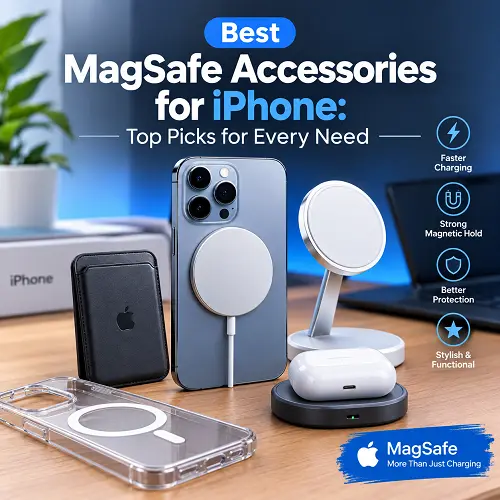
For users who want to explore related smartphone accessories, Best MagSafe Accessories for iPhone can also be relevant when building a convenient mobile technology setup.
First of all, you should know that Bluetooth finding and GPS finding have different aims: the former is intended for recovering belongings, while the latter – for independent location.
A useful place to explore technology products and related resources is Pro Tech Base online store, where different technology categories can be found alongside practical technology information.