
A portable monitor represents one of the easiest ways to get more screen estate with a laptop and without using a desktop computer monitor. This device may be helpful for students, remote workers, writers, programmers, and everyone who should cope with several tasks simultaneously. The best portable monitors for laptops may become the best way to transform a laptop into a comfortable dual-monitor work station.
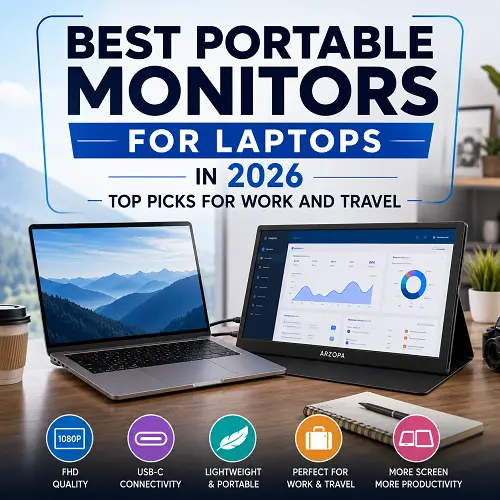
Portable monitors intended for using with a laptop are always very thin and light. They usually have USB-C, but there are some other variants like HDMI. Some of them also have speakers, touch screens, and other features.
What Is a Portable Monitor for a Laptop?
A portable monitor is a slim and external screen which is portable and connects to a laptop or a device that supports it.
The primary benefit of a portable monitor is the additional screen space. For instance, you can have your browser, emails, or any other study material on the portable screen while writing on the laptop.
Some of the scenarios in which a portable monitor would be ideal include:
- Work in an office or at home
- Distance learning
- Programming
- Working on Excel and other sheets
- Content creation
- Research
- Speaking engagements
- Trips
Why Do You Need a Portable Monitor?
The main benefit of using the best portable monitors for laptops is additional screen space without any stationary desk setup. It is possible to perform different tasks on the laptop, however, when everything needs to be on one screen, it gets rather difficult to switch between windows.
Using the second display allows you to allocate your work onto two screens. Furthermore, it can be packed up after use.
While choosing the right one, take into account:
- Display size – 14 to 16 inches is quite practical from the point of portability.
- Resolution – full HD is sufficient for everyday usage, while higher resolution gives clearer picture.
- Panel – IPS is widely used and provides great viewing angles.
- Connections – USB-C is convenient, HDMI increases compatibility.
- Weight – matters if you often need to transport it with your laptop.
- Stand or cover – makes placing the display much easier.
1. Best Portable Monitors for Laptops: Top Picks
The choice of the best portable monitors for laptops also depends on its intended use. Some portable monitors excel in image display, while some are designed for travelers, productivity, gaming, and multitasking. This is why we have chosen these portable displays on the basis of their image quality, portability, connectivity features, and utility with modern-day laptops. The portable displays listed below offer a good range of choices to choose from.
In this category, the following three monitors can be suggested.
ASUS ZenScreen OLED MQ16AH — Best Overall
Asus ZenScreen OLED MQ16AH is an excellent option for those concerned with image quality, offering a Full HD OLED 15.6-inch display, 100% DCI-P3 color coverage, HDR compatibility, and 1 ms response time along with USB-C and Mini HDMI interfaces.
Key features:
- 15.6-inch Full HD OLED screen
- Very good contrast and deep blacks
- 100% DCI-P3 color range
- HDR 10 supported
- 1 ms response time
- USB-C and Mini HDMI
Pros
- Picture quality is outstanding
- Color reproduction and contrast are excellent
- Solid connectivity options
- A great solution for creative work
Cons
- Costlier than other portable screens
- OLED screen isn’t required for basic office tasks
Best for: Creatives, professionals, and premium display quality enthusiasts.
Lenovo ThinkVision M14 — Best for Productivity
The Lenovo ThinkVision M14 is created in the style of mobility and efficiency. This model has 14 inches Full HD IPS screen, weighs approximately 598g, and comes with two USB-C ports with power pass-through.
Pros
- Lightweight
- Slim design
- USB-C ports
- Viewing angle adjustment
- Portability
Cons
- Small compared to 15.6- or 17-inches models
- More suited for productivity purposes than for gaming
Best for: Students, office workers, programmers, and travelers.
ASUS ZenScreen MB17AHG – Best Large Pick
ASUS ZenScreen MB17AHG is aimed at customers who are looking for a bigger portable monitor. It has 17.3 inches Full HD IPS screen and 144Hz refresh rate support. Besides, it has USB-C and HDMI connectivity.
Pros
- Large 17.3 inches screen
- 144Hz refresh rate
- USB-C and HDMI
- Multitasking
- Different screen orientations
Cons
- Bigger than small portable screens
- More weight than other portable monitors
Best for: People who need large screens for productivity and entertainment purposes.
2. Best Budget Portable Monitor for Laptop
Top Choice: S6 15.6-Inch Portable Monitor
A budget portable monitor would be a good choice to consider in case you need an additional screen for your daily routine. You don’t need premium specifications because your primary purposes are browsing, document editing, studying via online classes, working at the office, and multitasking.
A budget portable monitor should have high-quality Full HD display, good connectivity, appropriate size, and convenient carrying.
S6 15.6-Inch Portable Monitor
S6 15.6-Inch Portable Monitor will be a good choice for those customers who need an additional second monitor but not the one with all the premium specifications. The portable monitor has 15.6 inches Full HD 1920 × 1080 IPS display, 60Hz refresh rate, and a 16:9 aspect ratio.
Also, it has USB-C connectivity and inbuilt speakers, which makes it a good choice to use for everyday laptop working and entertainment. 15.6 inch display will provide you with enough workspace for documents, browsers, spreadsheets, and online classes.
Main specifications:
- 15.6-inch IPS display
- 1920 × 1080 Full HD resolution
- 60Hz refresh rate
- 16:9 aspect ratio
- USB-C connectivity
- Inbuilt speakers
Good for: Students, remote employees, writers, and all the users who need an additional affordable monitor for their laptops.
This product is available through the best online tech store like Pro Tech Base online store.
3. Best Large Portable Monitor for Laptop
Top Choice: ASUS ZenScreen MB17AHG
A large portable monitor can be handy when what you primarily need is screen real estate and not necessarily minimal weight.
The 17 inch portable monitor for laptop will come in handy if you are used to using a small 13 inch or 14 inch laptop.
But, there are a few drawbacks associated with the larger screen:
- More screen real estate
- Greater multitasking abilities
- Easy viewing of detailed material
- More weight to carry around
- More room in your bag needed
A 15.6 inch display would be a compromise when you travel occasionally.
A large screen will definitely come in handy if you have to sit at the computer for a long time.
4. Best Portable Monitor for Travel
Top Choice: UGREEN AP16
In case of traveling, portability has to be the primary concern. The best portable laptop monitor for traveling must be thin, light enough, easy to set up and pack.
The following aspects have to be taken into account:
- Weight: The lighter display will not add additional weight to your luggage;
- Thickness: The thinner monitor consumes less space in the suitcase;
- Protective case: Helps to keep the display safe while traveling;
- USB-C support: One compatible cable makes your set-up much easier;
- Power consumption: Low consumption is helpful while working on the laptop;
The example of such a traveling-oriented monitor is the UGREEN AP16 with 16 inch 2.5K panel, 165Hz refresh rate, 6.5mm thick and 928g weight.
For the frequent travelers, it would not be a good idea to pick up a display according to its screen size. It may turn out that carrying the monitor will be an additional hassle.
5. Best Portable Monitor for Work Laptop
Top Choice: ViewSonic VA1655
Best Portable Monitor for Work Laptop must make daily activities easier instead of showing off high-end specifications.
A Full HD IPS display would be more than sufficient for office work. You can use the extra display for your emails, Teams or browsers while the laptop takes care of your document or spreadsheet.
A portable computer monitor for a laptop can be very helpful in the following cases:
- Excel spreadsheets
- Word documents
- Coding
- Content writing
- Research
- Conferences
- Project management
USB-C connectivity would be useful in work as it helps minimize cable mess. Some monitors have power pass-through feature through which you could charge your laptop through the monitor itself.
When it comes to work, comfort, connectivity, portability and good stand becomes a priority instead of gaming features.
6. Best Portable Dual Monitor for Laptop
Top Choice: Mobile Pixels Duex Float 2 Pro
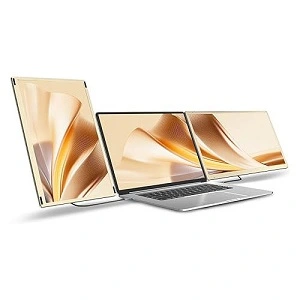
A portable dual monitor for laptop use is for those that require more than just an extra screen. You don’t have to change applications since you will always have several windows open.
This would help you with the following tasks:
- Coding with documentation open
- Research and writing
- Spreadsheets management
- Content creation
- Document comparison
- Monitoring different applications
While it makes the task of multitasking easier with a dual portable monitor for laptops, it is more complicated than having just one extra screen. The setup will be heavier and consume more power.
Before purchasing portable dual monitors for your laptop, you should ensure whether your computer supports the connection of the number of screens you wish to connect.
Those who deal with lots of applications will find that this extra screen will be more helpful than a large single one.
7. Best Portable External Monitor for Laptop
Top Choice: espresso Display 15
The primary objective of the external monitor which can be used by the laptop is flexibility. The monitor should function well with the laptop without complex installation processes.
The issue of compatibility should be considered first. The use of USB-C is preferable in case that the laptop can project video via the port. The use of HDMI is convenient in case that the laptop does not have a video function via USB-C.
Before purchasing, you should consider the following issues:
- Video via USB-C
- The availability of HDMI
- Necessary cables
- Needed power
- Windows compatibility
- macOS compatibility
- Driver requirements, if any
The external monitor which can be used with the laptop is especially advantageous when you work in various places. One example of such a monitor is the espresso Display 15 for people who prefer portable touchscreen displays.
If you are looking for other products or related tech products like best laptop for trading, best laptop stand for comfort, best docking stations for laptops, and best USB-C hubs for laptops, you can visit Pro Tech Base online tech store.
Are Portable Monitors Good for Gaming?
Yes, while portable monitors can be quite handy when it comes to gaming, it all depends on the type of games.
A standard 60 Hz screen would do fine for simple gaming. In case you like fast-paced games, then the right portable gaming monitor would be one with either 120 Hz, 144 Hz or even more refresh rate.
The specifications of importance are:
- Refresh rate – it helps make smooth motion.
- Response time – the lower the better, to minimize motion blurriness.
- Ghosting – look out for performance issues in the game.
- Adaptive sync – useful to avoid screen tearing.
- Connectivity – in case of consoles and other devices, an HDMI would come in handy.
One example would be the ASUS ROG Strix XG17AHPE that has a 17.3-inch full-HD screen with 240 Hz refresh rate.
Portable Monitor Connections: USB-C vs HDMI
The choice of using either the USB-C or HDMI port will depend on the ports present in your laptop.
USB-C Portable Monitor
The USB-C port is typically easier to find in most modern laptops.
Benefits:
- Capable of carrying both video and power
- One cable setup if supported by the device
- Less cable mess
- Easier to use for travel
Nonetheless, all USB-C ports do not support video.
HDMI Portable Monitor for Laptop
HDMI is more widely used across laptops and various other devices.
Benefits:
- Prevalent in many laptops
- Helpful when using gaming consoles
- Reliable video port
On the downside, many HDMI portable monitors will require an extra USB cable or power connection.
Frequently Asked Questions
Is it possible to get a portable monitor that will serve as a second display for my laptop?
Yes. You may use a second portable monitor for laptop to extend your desktop and put different applications on different displays. It will be great for multitasking, writing, coding, research and spreadsheets.
Does the portable monitor fit all laptops?
No. The portable monitor for laptop should have a proper video and power connections. Your USB-C should support video out if you plan to use one USB-C port. Also your laptop should have a suitable HDMI output for HDMI models.
Does the portable monitor need to have its own power supply?
Yes. It depends on the particular portable monitor model. There are models powered via laptop USB-C port. Other portable monitors need an additional power supply.
What size portable monitor is the best for travel?
The best sizes of the portable monitor for laptop in the case of travelers is from 14 to 16 inches. Smaller portable monitor is much more portable, while the 15.6 inches portable travel monitor for laptop provides more comfortable working area.
Final Thoughts
The best portable monitors for laptops are not defined by factors such as having the largest screen or most advanced specification. The most appropriate depends on the usage that one intends to have.
For superior display, the ASUS ZenScreen OLED MQ16AH is recommended. For a portable and lightweight solution for productivity purposes, the Lenovo ThinkVision M14 is ideal whereas, the ASUS ZenScreen MB17AHG is better suited for those preferring a larger screen. For other uses, there are other factors to be considered, including cost, frequent travels, nature of work, gaming, connectivity and preference in screen size among others.