VR hand tracking accessories allow users to interact with virtual environments through natural hand movements and gestures. Instead of relying entirely on physical controllers, compatible VR systems can recognize hand positions, finger movements, and gestures for interacting with digital objects, navigating menus, and using supported applications. Available options include built-in headset hand tracking, wearable VR hand tracking gloves, external tracking cameras, and specialized devices for developers. Each option offers different benefits depending on the headset, software, tracking requirements, and budget.
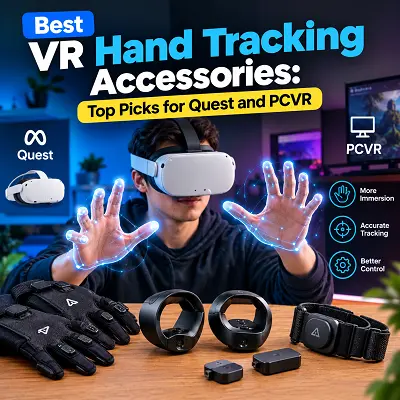
For Meta Quest users, built-in hand tracking provides a convenient starting point. PCVR users may benefit from dedicated tracking hardware, while users interested in tactile feedback can consider compatible haptic gloves. This guide explains the main options, their features, and the factors to consider before purchasing accessories for Quest and PCVR.
What Is Hand Tracking in VR?
Hand tracking in VR is a technology that allows a headset or compatible tracking device to detect the position and movement of a user’s hands. Tracking software interprets this information and translates physical movements into virtual interactions.
For example, a user might pinch two fingers to select an item, move a hand to grab a virtual object, or use a gesture to control a supported application. These interactions can make certain VR experiences feel more natural without requiring physical controllers for every action.
How VR Hand Tracking Detects Hand and Finger Movements
VR hand tracking systems commonly use optical cameras, computer vision, and tracking software to estimate hand positions. Depending on the device, they may recognize the overall hand pose or estimate individual fingers and their joints.
The software processes the captured information and updates the virtual representation of the hands. Tracking performance depends on camera placement, lighting, hand visibility, processing speed, and software compatibility.
Basic Hand Tracking vs. Full Hand and Finger Tracking
Basic hand tracking focuses on the overall position and movement of the hand. It can be sufficient for simple gestures, menu navigation, and basic interactions.
More detailed finger tracking estimates individual finger positions and movements. This can support more expressive gestures and detailed virtual hand poses, particularly in social VR, simulation, and development applications.
However, detailed finger tracking does not necessarily provide physical feedback when a virtual object is touched. That feature requires a separate haptic system or another supported feedback method.
How Hand Tracking Differs From Traditional VR Motion Controllers
Traditional VR controllers provide buttons, triggers, joysticks, and other physical inputs. They remain useful for games that require precise movement, consistent button presses, or familiar gaming controls.
Hand tracking offers a different approach by allowing supported applications to recognize natural gestures. It can be useful for browsing menus, interacting with virtual objects, and exploring controller-free experiences.
Some users may prefer a combination of both input methods. Before choosing a setup, compare the available features in the Best VR Controllers guide and confirm whether your preferred games support hand tracking.
How Do VR Hand Tracking Accessories Work?
VR hand tracking accessories capture hand movements and communicate tracking information to compatible software. The exact process depends on whether tracking is built into the headset or provided by an external device.
How VR Hand Tracking Devices Track Hand Movements
Optical tracking devices use cameras to observe the hands and estimate their positions. Some dedicated systems use infrared illumination to help detect hands within the sensor’s supported range.
The tracking software interprets the visual information, identifies hand poses, and estimates finger movements. Supported applications then use this information to control virtual hands or trigger interactions.
Several factors can affect tracking performance:
- Hands moving outside the camera’s field of view.
- Fingers being hidden behind the palm or another hand.
- Poor lighting or unsuitable environmental conditions.
- Fast movements that are difficult for the tracking system to follow.
- Incorrect sensor positioning or unsupported software.
For the best results, follow the manufacturer’s positioning instructions and ensure that your hands remain visible to the tracking system.
Do VR Hand Tracking Accessories Work Without Controllers?
Yes, compatible systems can support controller-free interaction, but the experience depends on the headset and application.
Meta Quest headsets offer built-in hand tracking, allowing supported experiences to recognize gestures without an additional tracking camera. External devices can provide hand tracking for compatible computer-based applications, while wearable gloves may add haptic feedback.
Traditional controllers are still necessary for some games and applications. Hand tracking may not reproduce all controller inputs, particularly joystick movement, trigger presses, and other dedicated controls.
Can You Use a Webcam for VR Hand Tracking?
A webcam can be used for certain computer-based hand tracking applications, simulations, and experimental setups. The software analyzes the camera image to estimate hand positions and movements.
However, a regular webcam should not automatically be treated as a complete replacement for a dedicated VR tracking device. Its usefulness depends on the software, camera placement, frame rate, lighting, and type of tracking required.
Some development tools support webcam-based camera tracking for simulation, but that does not mean every SteamVR game supports webcam-controlled hands.
Before using a webcam for PCVR, check the application’s requirements and whether the tracking solution works with your chosen headset and runtime.
Best VR Hand Tracking Accessories for Quest and PCVR
The following options cover different use cases, from built-in headset tracking to wearable haptic gloves and dedicated tracking hardware. Product compatibility should always be checked against the manufacturer’s current documentation before purchasing.
Best VR Hand Tracking Accessory for Meta Quest 3 and Quest 3S – Built-In Hand Tracking
Meta Quest 3 and Quest 3S include built-in hand tracking, making this a practical option for users who want to try controller-free VR without buying a separate tracking camera.
The headset’s cameras and software detect hand movements for supported applications. Users can perform compatible gestures to select menu items, interact with virtual objects, and navigate experiences designed for hand input.
Key features:
- Built-in hand tracking without an additional external camera.
- Support for natural gestures in compatible applications.
- Integration with the headset’s existing software.
- The ability to use hand tracking or controllers in applications that support both input methods.
Setup requirements:
- Enable hand tracking in the headset settings where required.
- Use applications that support hand tracking.
- Maintain suitable lighting and keep your hands visible to the headset cameras.
- Check individual game requirements before expecting controller-free gameplay.
Practical uses:
- Navigating compatible menus.
- Interacting with virtual objects.
- Exploring supported controller-free experiences.
- Testing hand tracking before purchasing additional hardware.
Limitations:
- Tracking performance depends on hand visibility, lighting, software, and the application.
- Some games still require physical controllers.
- Built-in hand tracking does not provide the same tactile sensations as haptic gloves.
For most Quest users who are new to hand tracking, trying the headset’s built-in functionality is the simplest first step.
Best VR Hand Tracking Gloves – bHaptics TactGlove DK3
The bHaptics TactGlove DK3 is a wearable haptic glove designed to provide tactile feedback during supported virtual interactions. It complements camera-based hand tracking rather than replacing the tracking system with its own internal hand-position sensors.
Key features:
- Eight haptic points per hand, combining fingertip, palm, and wrist feedback.
- Seven high-definition linear resonant actuators and one voice-coil actuator per hand.
- Bluetooth Low Energy connectivity.
- A rechargeable battery with approximately four hours of listed playtime.
- A magnetic strap designed to make the glove easier to put on.
- A removable, washable inner glove.
- Support for compatible development tools, including Unity and Unreal Engine integrations.
Tracking and compatibility:
- Designed to work with compatible camera-based hand tracking systems.
- The manufacturer lists consumer compatibility with Meta Quest 3, Quest 3S-related compatibility should be checked separately, Quest Pro, and Quest 2 according to its current compatibility documentation.
- Developer and business use can support additional compatible headset configurations.
- The glove’s tactile features depend on supported software and applications.
Comfort and fit:
- Available in multiple sizes, including S, M, L, and XL.
- Breathable material designed for extended use.
- Touchscreen-compatible fingertips.
- A washable inner glove for easier cleaning.
Limitations:
- The gloves do not contain internal hand tracking sensors.
- A compatible camera-based tracking system is required.
- Not every VR game supports the glove’s haptic features.
- Battery life, fit, and supported applications should be considered before purchase.
Best VR Hand Tracking Gloves for Meta Quest 3 – Compatible Haptic Gloves
Quest 3 users who want wearable feedback can consider haptic gloves that explicitly support the headset and its hand tracking system. The correct choice depends on whether the goal is to interact with virtual environments, receive tactile sensations, or develop specialized applications.
What to check before buying:
- Quest 3 compatibility: Confirm that the manufacturer explicitly lists your headset.
- Connection method: Determine whether the gloves connect through Bluetooth or require an external computer.
- Tracking method: Check whether the gloves rely on the headset cameras or require a separate tracking device.
- Supported features: Verify whether finger tracking, haptic feedback, or both are available in your intended applications.
- Software requirements: Confirm whether a companion application, additional configuration, or a specific runtime is needed.
- Comfort: Check the sizing guide, material, weight, and charging requirements.
A compatible haptic glove can be useful for social interactions, demonstrations, and experiences that support tactile feedback. For ordinary menu navigation or casual controller-free use, the headset’s built-in hand tracking may be enough.
Do not assume that a glove works with every Quest 3 game simply because the hardware connects successfully. Application-level support is equally important.
Best VR Hand Tracking Gloves for Meta Quest 2 – Compatibility and Setup
Meta Quest 2 users should verify headset support before purchasing any hand tracking glove. Compatibility varies between products, software versions, and applications.
The headset supports built-in hand tracking, so users can first test compatible experiences without buying additional tracking hardware. If a glove is required, check whether its manufacturer explicitly lists Quest 2 support and explains how it connects.
Important compatibility checks:
- Confirm support for Meta Quest 2.
- Check whether Bluetooth pairing is supported.
- Determine whether a companion application or external computer is required.
- Verify supported haptic features and compatible games.
- Review battery life, sizing, and charging requirements.
Tracking considerations:
- Built-in hand tracking depends on the headset’s cameras and software.
- Haptic gloves may provide feedback without tracking the fingers independently.
- Tracking quality can be affected by hand position, occlusion, and lighting.
- Software integration determines whether a game can use the glove’s features.
A glove designed for a different headset should not be assumed to work with Quest 2. Even when a device connects successfully, some features may be unavailable if the application does not support them.
Check the manufacturer’s current compatibility list before ordering, particularly if your main goal is to use the gloves with a specific VRChat setup or PCVR game.
Best External VR Hand Tracking Camera – Ultraleap Leap Motion Controller 2
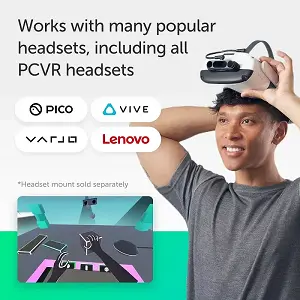
The Ultraleap Leap Motion Controller 2 – 3D Gesture Sensor for PC and Mac is a dedicated optical tracking device designed to detect hand and finger movements for compatible computer-based applications. It can be useful for users exploring hand tracking, gesture-based interaction, and supported virtual reality development projects.
Key Features
- Optical hand tracking for compatible applications.
- Detection of hand and finger movements.
- Designed for PC and Mac use, subject to software and system compatibility.
- Suitable for supported gesture-based interactions and development projects.
- Compact sensor design for compatible desktop or headset-mounted setups.
Advantages
- Enables hands-free interaction in supported applications.
- Tracks hand and finger movements without relying solely on traditional controllers.
- Can support interactive demonstrations and selected XR development projects.
- Provides an option for users exploring optical hand tracking on a computer.
Setup Requirements
- A compatible PC or Mac.
- A suitable connection and any required adapters.
- Compatible tracking software and applications.
- Appropriate sensor positioning or mounting, depending on the setup.
Limitations
- It does not automatically make every PCVR game compatible with hand tracking.
- Performance may vary with hand position, occlusion, lighting, and sensor placement.
- Some setups may require additional software or mounting accessories.
- Check the product listing and software requirements before purchasing to confirm compatibility with your intended system.
You can also explore the Pro Tech Base online tech store for technology accessories and related products.
Best VR Hand Tracking Camera for PCVR and SteamVR – Compatible External Tracking Systems
PCVR users should select an external hand tracking camera based on software compatibility rather than hardware specifications alone. A tracking camera may recognize detailed hand movements, but that does not guarantee that a particular SteamVR game can use those movements as input.
Important buying considerations:
- PC compatibility: Check the operating system, processor requirements, and available USB ports.
- Software support: Confirm compatibility with the VR runtime and applications you intend to use.
- Tracking performance: Review the supported tracking range, field of view, and camera frame rate.
- Installation: Determine whether a mount, extra cable, or specific camera position is required.
- Application support: Verify that the games or tools you want to use accept input from the tracking solution.
- Ongoing support: Check whether drivers and software updates are available.
Dedicated cameras can be useful for development projects and applications that require external hand tracking. However, an external device may add unnecessary cost and setup complexity if the games you play do not support it.
Always check current compatibility documentation before assuming that a tracking camera will work across SteamVR applications.
Best VR Hand Tracking Device for Developers and Advanced Users – Development-Focused Tracking Systems
Developers and advanced users may need access to detailed hand poses, finger joints, gesture information, or integration tools for building interactive applications. In these situations, the best device is the one that provides the tracking data and software support required by the project.
Features to evaluate:
- Tracking detail: Determine whether the system provides overall hand positions, individual finger movements, or joint-level data.
- Software integration: Check compatibility with your development environment, runtime, and application framework.
- Performance: Review the supported tracking range, frame rate, and computer requirements.
- Installation: Confirm whether the device requires a special mount or positioning arrangement.
- Developer resources: Look for setup guides, SDK documentation, examples, and supported integrations.
Potential applications:
- VR training and simulation.
- Research and human-computer interaction projects.
- Interactive demonstrations.
- Gesture-based interfaces.
- Supported social VR applications.
These systems can be useful for specialized projects, but support for a development environment does not automatically mean that the device works with every consumer game.
For VRChat in particular, verify the required tracking software and integration before buying hardware. Compatibility may depend on the complete setup rather than the tracking device alone.
What to Look for in the Best VR Hand Tracking Accessories
Choosing the right accessory requires more than comparing product names or advertised features. The headset, tracking method, software, comfort, and total cost all affect how useful the accessory will be.
Hand and Finger Tracking Accuracy
Tracking accuracy determines how closely virtual hands follow real hand movements. For simple menu interactions, basic hand tracking may be enough. More demanding applications may require detailed finger movement recognition and reliable gesture detection.
Important factors:
- Whether individual fingers and joints are tracked.
- How quickly the system responds to hand movements.
- Whether hands remain trackable when fingers overlap.
- How camera position and lighting affect recognition.
- Whether the device supports the gestures used by your applications.
No tracking system is immune to interruptions. Check the device’s published specifications and look for compatibility information relevant to your intended use.
Meta Quest and PCVR Compatibility
Compatibility is one of the most important factors when choosing a VR hand tracking accessory.
Quest 2, Quest 3, and Quest 3S offer built-in hand tracking, but additional gloves and external devices may have different compatibility requirements. PCVR accessories may also require specific drivers, software, or runtime integrations.
Before buying:
- Confirm support for your exact headset model.
- Check whether the accessory works in standalone mode or requires a PC.
- Verify that your preferred games support the tracking method.
- Review the manufacturer’s current software and hardware requirements.
- Determine whether additional accessories are needed.
Tracking Technology and Hardware Requirements
Hand tracking may use cameras built into the headset, a dedicated external tracking camera, or a compatible camera connected to a computer. Each approach has different setup requirements.
Built-in tracking is generally convenient because it does not require a separate sensor. External cameras may provide useful tracking features for supported applications, but they can require additional cables, software, mounts, and careful positioning.
Webcam-based solutions may be suitable for particular simulations or experimental applications, but compatibility and tracking performance vary. Confirm the supported setup instead of assuming a regular webcam can replace a dedicated VR tracking system.
When positioning or installing hardware, protect your headset and avoid scratching the lenses. The guide to best VR lens protection covers additional ways to protect headset lenses during use and storage.
Comfort, Fit, and Ease of Use
Comfort is especially important for wearable gloves because they must accommodate natural hand and finger movements. Check the available sizes, materials, fastening system, weight, and whether the gloves can be cleaned according to the manufacturer’s instructions.
A complicated setup can also affect everyday usability. Some accessories require Bluetooth pairing, companion software, a computer connection, or manual configuration before they work as intended.
Headset fit matters as well. Users who wear prescription glasses should check whether their headset accommodates them comfortably or whether Best VR Prescription Lens Inserts offer a suitable alternative. Prescription lens inserts do not improve hand tracking, but they may help address a separate visual comfort requirement.
For users who want to improve headset stability during movement, the best VR head straps guide covers options for compatible Quest headsets. A head strap does not directly improve tracking accuracy, but a secure headset fit can help keep the cameras positioned consistently.
Software Support and Game Compatibility
Software support determines whether an accessory can be used for your intended activities. A device may provide detailed tracking data but still be unsuitable for a game that does not recognize its input.
Check the following:
- Supported VR applications and platforms.
- Compatibility with VRChat or other intended experiences.
- Required companion applications and drivers.
- Support for your VR runtime.
- Availability of software updates and configuration instructions.
For PCVR, verify whether the game or runtime supports the input method you plan to use. For standalone Quest experiences, check whether the application supports hand tracking or the glove’s additional features.
Price and Overall Value
The cost of a VR hand tracking setup can include more than the main accessory. You may also need compatible software, cables, mounts, a computer, or other hardware.
Compare these factors:
- The purchase price of the tracking device or gloves.
- Whether extra software or hardware is required.
- The number of compatible applications you intend to use.
- The expected comfort and convenience.
- Whether the additional features provide a meaningful benefit.
If you are comparing technology products and shopping options, the best online tech store for shoppers guide offers additional considerations for evaluating products before purchasing.
Avoid paying extra for advanced tracking features unless your preferred applications can actually use them.
What VR Games Use Hand Tracking?
VR hand tracking is available in supported games and applications, but compatibility depends on the headset, software, and input system. Some experiences are designed around natural hand gestures, while others rely on physical controllers.
VR Games That Support Hand Tracking
Games that support native hand tracking are designed to recognize hands as an input method. Depending on the experience, players may use gestures to select objects, interact with menus, or perform actions inside the virtual environment.
Third-party tracking solutions work differently. They may provide hand tracking for specific applications through an additional integration, but they do not automatically add native hand tracking to every game.
Before purchasing an accessory for a particular title, check the game’s current store listing and the tracking device’s supported application list.
What VR Games Can You Play With Hand Tracking?
The available choices may include casual games, interactive experiences, educational applications, and selected social VR activities. The precise options vary by headset and software version.
Some experiences focus on simple gestures, while others require detailed finger movements or more complex interactions. A game designed for physical controllers may not support hand tracking at all.
Check the supported headset models and input requirements before choosing an accessory specifically for gaming. This is particularly important for PCVR users because support may depend on the individual game and software integration.
Are There Free VR Hand Tracking Games?
Free hand tracking experiences may be available through headset stores and other compatible platforms. However, free access to a game does not necessarily mean that all tracking software, hardware, or advanced features are free.
Before downloading an experience:
- Confirm that it supports hand tracking on your headset.
- Check whether additional software is needed.
- Review the system requirements for PCVR.
- Verify whether the required features are included in the free version.
Starting with a free, compatible experience is a practical way to test your headset’s tracking capabilities before buying extra equipment.
Are VR Hand Tracking Accessories Worth It?
VR hand tracking accessories can be worthwhile when they provide a feature that your existing headset cannot offer or improve a specific supported experience.
Built-in hand tracking is often sufficient for users who want controller-free menus and basic interactions. External cameras may be more useful for PCVR development and applications that require dedicated tracking hardware. Haptic gloves are designed for users who want tactile feedback alongside compatible tracking systems.
Benefits:
- More natural interactions in supported applications.
- Controller-free navigation and gestures.
- Detailed hand movements for compatible projects.
- Additional tactile feedback from supported haptic gloves.
- Potential value for training, simulation, and development.
Limitations:
- Occlusion can make hands or fingers difficult to track.
- External sensors operate within a supported distance and field of view.
- Not every game supports hand tracking or third-party accessories.
- Some devices require additional software, cables, or mounting hardware.
- Specialized equipment may be expensive compared with built-in tracking.
Traditional motion controllers remain useful for games that depend on physical buttons, joysticks, triggers, and precise inputs. The most practical setup is the one that matches your intended applications rather than the one with the most advertised features.
Frequently Asked Questions About VR Hand Tracking Accessories
What Is Hand Tracking in VR?
Hand tracking in VR is a technology that detects hand positions and movements and translates them into virtual interactions. Depending on the hardware, it may recognize simple gestures or track individual finger movements.
What Are the Best VR Hand Tracking Accessories?
The best option depends on your requirements. Built-in Meta Quest hand tracking is a convenient starting point, the Ultraleap Leap Motion Controller 2 is an option for supported computer-based applications, and compatible haptic gloves can add tactile feedback.
What VR Headsets Have Built-In Hand Tracking?
Meta Quest 2, Quest 3, and Quest 3S support built-in hand tracking. Features and performance can vary according to the headset, software version, and application.
Can You Use VR Hand Tracking Without Controllers?
Yes. Compatible headsets and applications can support controller-free interaction. However, some games still require physical controllers for buttons, joysticks, and other inputs.
Can You Use a Webcam for VR Hand Tracking?
Some software can use a webcam to estimate hand movements, particularly for simulation and experimental applications. A webcam is not automatically compatible with every VR headset or SteamVR game, so check the software requirements before relying on it.
Do VR Hand Tracking Gloves Work With Meta Quest 3?
Some haptic gloves are compatible with Meta Quest 3, but the supported features vary. Confirm the exact model’s compatibility, pairing method, companion software, and supported applications before buying.
Do VR Hand Tracking Gloves Work With Meta Quest 2?
Certain gloves support Quest 2, but compatibility varies between products. Check the manufacturer’s current compatibility information and determine whether the glove needs additional software or computer hardware.
What VR Games Support Hand Tracking?
Only games and experiences that support the relevant hand tracking input method will work as intended. Check the headset store listing, game documentation, and accessory compatibility information before purchasing.
What Is the Difference Between Hand Tracking and Finger Tracking?
Hand tracking identifies the position and movement of the hand. Finger tracking estimates the movements and poses of individual fingers, allowing more detailed virtual hand interactions.
Can You Use Hand Tracking With SteamVR?
Some tracking devices and software integrations support PCVR applications, but not every SteamVR game accepts hand tracking as an input method. Check compatibility for the exact hardware, software, and game you intend to use.
Final Thoughts
The best VR hand tracking accessories depend on your headset, budget, and intended use. Built-in Quest tracking is a convenient starting point, external cameras can suit supported PCVR and development projects, and compatible haptic gloves can add tactile feedback to selected experiences.
Before purchasing, confirm tracking capabilities, headset compatibility, software support, comfort, and the total setup cost. A feature-rich accessory is only worthwhile when it works with the applications you actually plan to use.
Explore the Pro Tech Base online store to discover technology accessories, and verify each product’s current specifications and compatibility before making your final choice.