
If you need additional storage or frequently transfer large files on your laptop, the best external SSDs for laptops can help expand your storage without upgrading the laptop’s internal drive. Nowadays, portable SSDs are faster and smaller compared to the classic portable hard drives, which makes them perfect for use with photos, video content, games, work documents, backups, and professional projects.
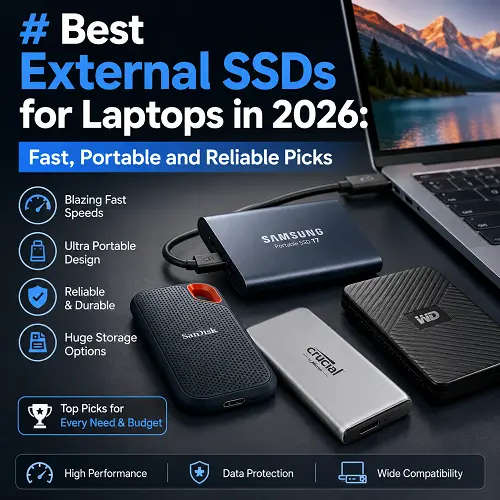
The recent addition of USB-C, USB4, and Thunderbolt ports into the majority of modern laptops enables fast data exchange through portable storage devices, keeping their portability intact.
What Is an External SSD and Why Do You Need One for Your Laptop?
External SSD is a removable SSD that can be connected to a laptop using USB-C, USB4, or Thunderbolt.
Unlike hard drives, SSDs use flash memory without mechanical components.
It is helpful for those who use a laptop if it is necessary to expand the space on it or make backup of the important data on another device.
Benifits are as follows:
- Increase in the amount of available storage by adding 1TB, 2TB, 4TB or even more space without replacing the internal drive.
- Faster transfer of data in case of high-speed USB4 or Thunderbolt SSD.
- Making backups of documents, pictures, video materials, and other files on an external SSD.
- Portability – most portable SSDs are quite small and light enough to be kept in a laptop bag or pocket.
- The possibility to work directly with files stored on an external drive if it is supported by the laptop and used programs.
Performance depends on both external and internal factors – SSD and the type of the connector. The highest-performing SSD will not work at its full capacity using a less advanced connector.
How to Choose the Best External SSDs for Laptops
Drive selection will depend on your interface capability, storage capacity and features offered by the drive.
USB Port Compatibility for Your Laptop
Find out what type of USB interface your laptop offers – USB 3.2, USB4 or Thunderbolt. USB-C refers only to the physical connector form.
Select the Proper Data Transfer Rate
Drives with a transfer rate of 1,000MB/s class are sufficient for regular backups. High data movement professionals should look into USB4 or Thunderbolt options.
Think About the Storage Capacity
Get 1TB for your daily needs, 2TB for demanding usage and 4TB or more for vast media collections.
Select a Drive With USB-C, USB4 or Thunderbolt Interface
Verify the compatibility of the computer’s interface and the included cable. The SSD’s performance will not match the advertised one without a fast connection.
Consider Cross-Platform Compatibility
In case you frequently use both Windows and Mac, it would be good to look into file system and compatible devices. Some disks might require reformating in specific cases.
Durability and Rugged Protection
People who travel and work outside should definitely focus on drives that feature IP ratings, drop protection and rugged design. T7 Shield, PRO-G40 and Rugged SSD4 are perfect choices.
Security
If there is any confidential information stored in your drive, you should choose one that has hardware encryption and password protection. Fingerprint security is available for T7 Touch.
Best External SSDs for Laptops: Our Top Picks
These selections cater to diverse laptop users ranging from basic storage to travel purposes to those doing video editing and working in the fast Thunderbolt transfer speeds.
SanDisk PRO-G40 – Best Portable SSD
SanDisk Professional PRO-G40 Drive is one of the best options for users looking for an option that combines high performance with solid physical security. Its interface works with Thunderbolt 3 and USB 3.2 Gen 2, providing good compatibility with high-performing and regular USB-C laptops.
Working with Thunderbolt 3 allows it to achieve maximum reading speed up to 3,000MB/s and writing speed of up to 2,500MB/s. It is IP68 certified for dust and water resistance, provides drop resistance up to 3 meters, and features crush resistance of 4,000 pounds. Available capacity goes up to 4 TB.
Best for:
- Professional photographers and video editors
- Big project files
- Thunderbolt laptops users
- Outdoors and extreme conditions
Its dual interface comes in handy in case if there is no Thunderbolt 3. You can find this product at the best online tech store for shoppers, Pro Tech Base online store.
SHARGE Disk Pro – Best SSD for Travel
This product includes both an NVMe portable SSD and a 5-in-1 USB-C hub. As a result, it becomes especially convenient to use for laptop users who require portable storage and USB hub functions.
SHARGE Disk Pro provides up to 4 TB built-in storage and data transfer up to 10 Gbps. In addition, this product is equipped with HDMI, USB ports, and a built-in USB-C cable. It uses an active cooling system which enables better management of heat.
Best for:
- Travelling people
- Students and remote employees
- Laptops with a small number of ports
- Portable storage and USB hub functionality
The key benefit of this product is convenience but not the highest speed of the SSD. You carry one product instead of two separate products.
LaCie Rugged SSD4 – Best Fast Cross-Platform SSD
This drive was developed for creative professionals that require good speed and security when working on multiple devices.
It features USB 40Gbps interface with maximum read/write speeds of 4,000/3,800MB/s, according to Seagate specifications. This drive comes in 4TB capacity with rugged construction rated at IP54 that provides protection from 3-meter falls and pressure.
It is compatible with Windows, macOS, iPadOS, iOS, ChromeOS, Android and game consoles using USB-C connection.
Best for:
- Photographers
- Video creators
- Mac and Windows users
- Super-fast portable solutions
Corsair EX400U – Best USB4 SSD
Corsair EX400U is meant for people with USB4 laptops who would like something with the level of performance provided by Thunderbolt class external drives.
It has a speed of 40Gbps on the USB4 interface, and is capable of 4,000MB/s sequential read and 3,500MB/s write speeds.
It gets power from the USB-C connection, meaning that there is no need to bring an additional power adapter along.
EX400U can be bought in various sizes, including 1TB and greater, and the Survivor model provides IP55 ruggedization.
Recommended for:
- USB4 laptops
- Sending large files
- Gamers
- Content creators
If you have a USB4 40Gbps laptop, this is definitely the product to go for instead of purchasing a fast SSD and using it through a slower USB port.
Samsung T7 Shield – Best Rugged Portable SSD
Even though the Samsung T7 Shield is now outdated, it still can be considered a great option for the regular user who wants to combine high speed, reliability and portability.
It has USB 3.2 Gen 2 interface, providing the speeds of up to 1,050MB/s reading and 1,000MB/s writing. The drive is also protected from dust and liquids (IP65) and drop resistant (3 meters). Available in capacities of 1TB, 2TB and 4TB.
Best for:
- Laptop everyday use
- Students and working professionals
- Travelers
- Backups of photos and videos
- The users who need a durable external storage
It weighs only 98 grams, which makes it portable, and has hardware AES-256 encryption for extra security.
Samsung T7 Touch – Most Secure Portable SSD
The Samsung T7 Touch offers security through the incorporation of both a fingerprint sensor and password access together with AES 256-bit hardware encryption.
USB 3.2 Gen 2 and speed of up to 1,050MB/s reading and 1,000MB/s writing are supported. The drive is lightweight with a weight of 58 grams and is available in storage capacities of 500GB, 1TB, and 2TB.
Please note that Samsung now considers this model to be discontinued.
Best for:
It may be a good option for those who would like to have a drive with access through fingerprints.
LaCie Rugged SSD Pro5 – Best Thunderbolt 5 Portable SSD
Among Thunderbolt 5 laptops, this is the best option for professionals from this list.
It boasts an up to 6,700MB/s read speed and up to 5,300MB/s write speed via Thunderbolt 5 connection and can be used for heavy-duty 6K and 8K creative tasks. Plus, it is rugged and shock resistant, with IP68 protection and a 3 meter fall-resistance.
Available capacity options are 2TB and 4TB, it also comes with a five-year warranty.
Best for:
- Professional video editing
- 6K/8K work
- Thunderbolt 5 MacBooks and laptops
- Heavy-duty work with media files
This option would be too much for everyday use and backups, however, its performance is justified by the professional workflow.
Samsung X5 – Best Thunderbolt 3 Portable SSD
Samsung’s X5 drive was meant for people with Thunderbolt 3-equipped computers and supports NVMe technology, which makes it much faster than regular USB portable SSDs.
X5 has up to 2,800 MB/s read speeds and 2,300 MB/s writing speed and is available in 500 GB, 1TB, and 2TB versions. The device can be used with Thunderbolt 3 equipped computers but cannot be used with computers with USB only.
Ideal for:
- Older high-end Thunderbolt 3 equipped laptops
- Professional file transfers
- The people who have compatible equipment
This device, just like T7 Touch is an outdated device so people who want to purchase it need to look at the more recent USB4/Thunderbolt 5 drives.
If you’re looking for other useful laptop accessories, you can explore our guides to the best portable laptop stands for comfort and best portable monitors for laptops. You can also find these and other related tech products at the Pro Tech Base online tech store.
How Do External SSDs Work?
External SSD keeps its information on NAND flash memory. The SSD gets connected to the laptop via USB or Thunderbolt port and is regarded as extra storage space by the laptop.
If a user copies a document, the laptop sends information along the cable and connector to the controller of the SSD, which controls NAND memory cells.
The absence of spinning disks and mechanical heads provides faster performance and better stability for SSDs compared to traditional HDDs.
Are External USB SSDs Fast?
Yes. The performance of a USB SSD may be very high, although it ultimately depends on the interface used.
There are different types of connections:
- USB 3.2 Gen 2: up to 10 Gbps
- USB 3.2 Gen 2×2: up to 20 Gbps
- USB4: up to 40 Gbps
- Thunderbolt 3/4: up to 40 Gbps
- Thunderbolt 5: up to 80 Gbps
The speed advertised for the SSD is only theoretical, as there are certain conditions when it may not work properly.
Are External SSDs Faster Than HDDs?
Yes, for the most part. SSDs offer significantly reduced latency and can transfer files much faster than conventional external HDDs.
For instance, the top transfer rate for Samsung T7 Shield is 1,050 MB/s, compared to much slower external HDD technology.
When speed and portability are priorities, opt for an SSD. Go for an HDD if you require extremely large amounts of low-cost storage.
External SSD vs Internal SSD: Which Is Better?
Internal SSDs work better for the operating system and applications since they are connected directly to the internal interface of the laptop.
Best external SSDs for laptops should be used in situations where:
- Additional storage space is needed without opening the laptop.
- The files need to be portable.
- The backup storage is required.
- Separate editing space is needed.
For the best performance of the laptop, the internal SSD will be used for the operating system and applications, while the external one will provide additional storage and backup.
Are External SSDs Good for Gaming?
Yes. An external SSD will serve well in storing and launching games, especially if the laptop itself does not have much room for internal storage.
But it all depends on the laptop, the game, the operating system, and how you connect them. USB 3.2 Gen 2 SSD will suffice for many people, while USB4 and Thunderbolt external SSDs are useful only for extensive collections of games.
If your goal is gaming, go for the capacity and compatibility first before spending too much on high sequential speed.
What Capacity External SSD Should You Buy?
The ideal capacity will depend on what you store.
Is a 1 TB External SSD Good Enough?
1 TB storage capacity is enough for:
- PDF files
- Family pictures
- Normal backups
- College projects
- An average number of games
It will be good enough for most laptop owners.
Who Should Opt for 2 TB External SSD?
Pick 2 TB if your work involves:
- Super resolution photos
- 4 K videos
- Large software projects
- More than one game
- Full system backups
For many content creators, 2 TB will give a great value-for-money deal.
External SSDs with Large Capacity for Big Files
In case you have to deal with large video collections, professional projects, or massive backups, pick 4 TB or more.
SanDisk PRO-G40, SHARGE Disk Pro, and LaCie Rugged SSD4 come in capacities up to 4 TB.
Are External SSDs Reliable and Worth It?
External SSDs work reliably for day-to-day storage, transfer, and backup purposes, but no storage device should be considered failure-proof.
The absence of mechanical parts means that it is great for being portable, and now there are also some ruggedized SSDs available to provide extra protection against drops, dust, and water.
Yet, an external SSD is not something to back up your important data on, because you need at least one other copy of that information in case of emergencies.
You should purchase an external SSD when you value faster speeds, portability, and convenient capacity increase, whereas if you care about price per gigabyte most of all, an external HDD may suit better.
Frequently Asked Questions About External SSDs
How do Best External SSDs for Laptops work?
They have their data stored on NAND flash memory and work with your laptop via USB or Thunderbolt connections. Your computer detects the drive as external storage.
Are external SSDs faster than HDDs?
Yes. Generally, external SSDs are significantly faster in terms of access and transfer rates compared to classic external HDDs.
Are external SSDs suitable for gaming?
Yes. Such drives can store and even run many games successfully as long as your laptop, operating system, and games are compatible.
Are external SSDs compatible with all laptops?
Not all of the SSD drives achieve their maximum potential speed when connected to a certain laptop. It is recommended to check your laptop’s compatibility with USB-C, USB4 or Thunderbolt before purchasing.
Which is the fastest external SSD?
LaCie Rugged SSD Pro5 has the highest sequential transfer rate from among the SSDs discussed in this article – up to 6,700MB/s for reading and up to 5,300MB/s for writing via Thunderbolt 5.
Should I get an external SSD or external hard drive?
Get an SSD for speed, durability and portability, while get an HDD for high capacity storage and lower price.
Final Thoughts
The selection of the best external SSDs for laptops depends on your laptop, storage requirements, budget, and the nature of your work. If you need an excellent external SSD suitable for general purposes, the Samsung T7 Shield is ideal for you. In case you want to have an external SSD that can handle heavy work and provide maximum protection, then the SanDisk PRO-G40 should be considered. If your laptop supports USB4, the Corsair EX400U is perfect. Those people whose work involves handling large files may opt for the LaCie Rugged SSD Pro5 due to its outstanding speed via Thunderbolt 5.
The SHARGE Disk Pro comes in handy if portability is the key concern. You should take into account your laptop’s port type as well as capacity necessary for your workload. For the majority of users, an external SSD of 1TB or 2TB will be ideal.